

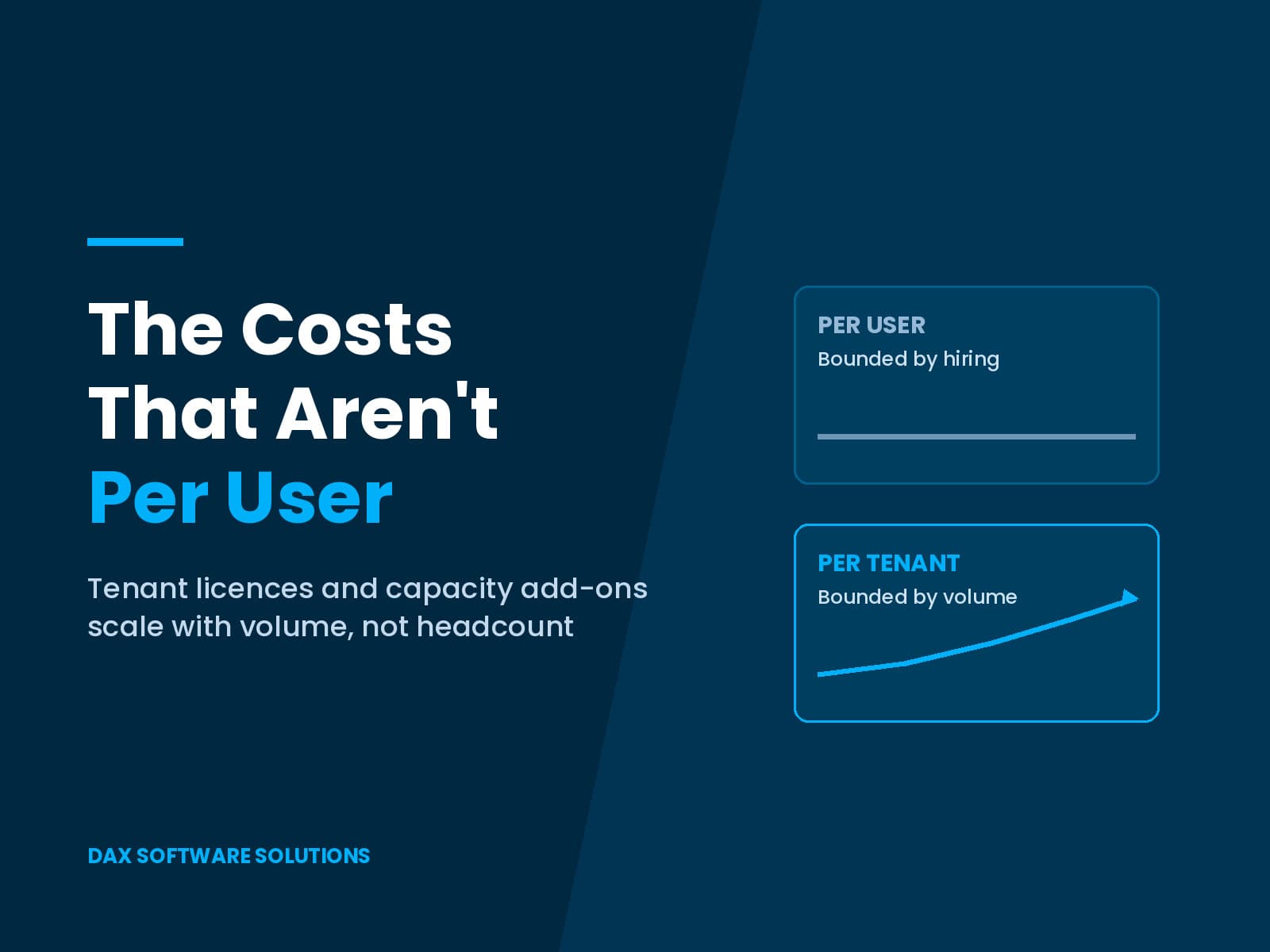
The Costs That Aren’t Per User
Every Dynamics 365 licensing conversation starts with a headcount, and headcount is the one question in the room with a clean answer. Dynamics 365 capacity licensing takes the last five minutes, and then nobody looks at it again. It is also the part that moves in year two, once transaction volume has grown and nobody re-forecast the allowance.
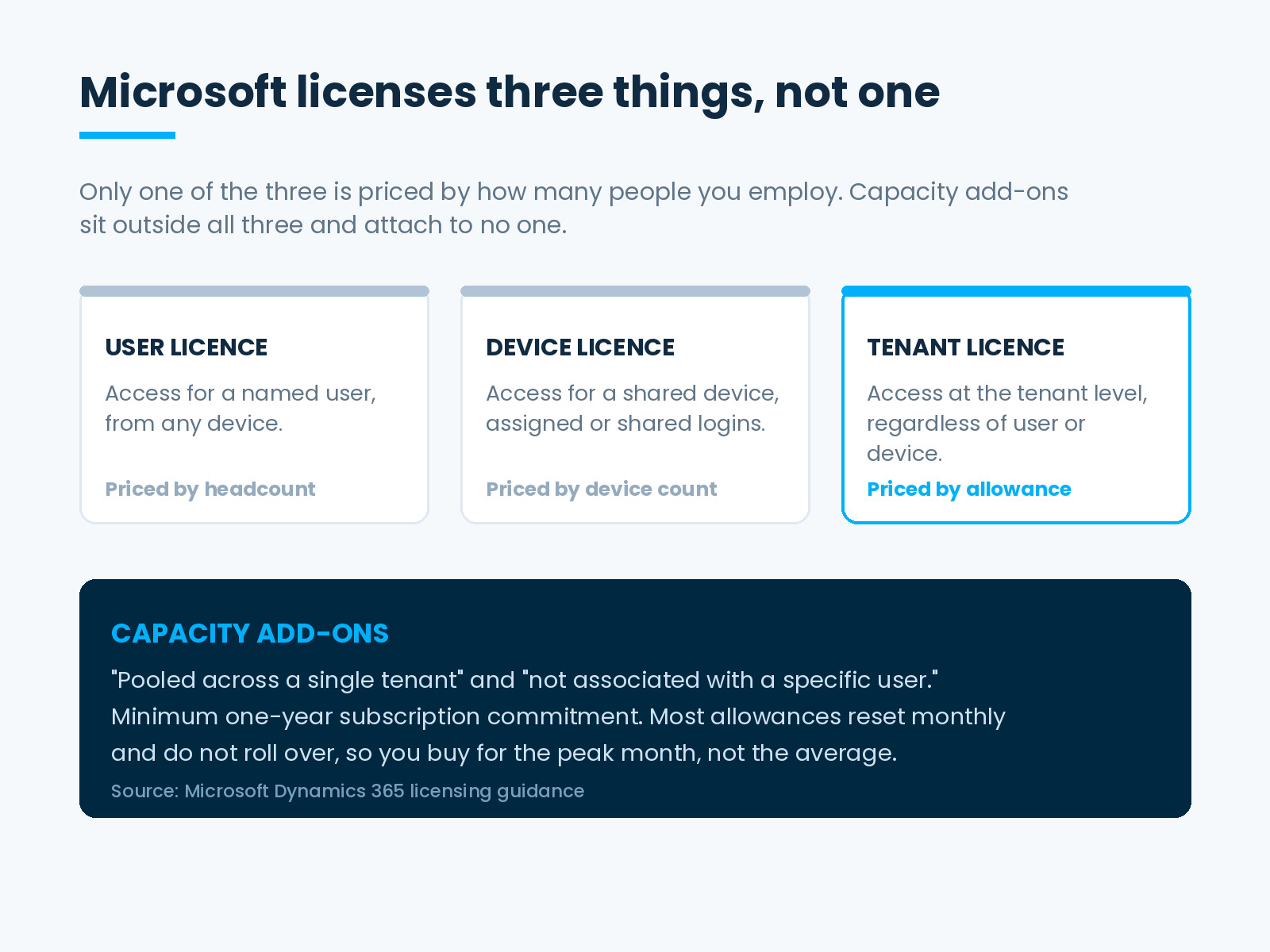
Microsoft licenses three different things, not one
Microsoft’s licensing guidance describes three models. A user licence grants access for a named user. A device licence grants access to a shared device. The third, a tenant licence, “provides access to a feature or service at the tenant level, regardless of the user or device involved.”
Capacity add-ons sit alongside those three. Microsoft states that they are “pooled across a single tenant” and “not associated with a specific user.”
That distinction matters more than it sounds. Hiring bounds a per-user cost, and you control hiring. Volume bounds a capacity cost, and the business grows volume without consulting anyone. Grow 20 percent and you rarely hire 20 percent more finance staff. You do process 20 percent more invoices. Dynamics 365 capacity licensing therefore tracks a curve the headcount forecast never sees.
Some products have no per-user line at all
Microsoft names Electronic Invoicing and Customer Insights as products that “are only licensed per tenant.” Customer Voice, the e-Commerce application and Commerce Scale Units also carry tenant pricing. For these, the seat count is not secondary. It does not apply. What you buy is an allowance.
Customer Insights shows the shape. The base licence entitles a tenant to 10,000 interacted people and 100,000 unified people. Microsoft applies a safe use limit of ten times that interacted-people entitlement in monthly interactions, and states that interactions “reset monthly and don’t roll over.” Licences sit at tenant level, so an organization running two tenants buys for both.
Intelligent Order Management follows the same logic. Microsoft licenses it per tenant with 1,000 order lines included, and sells additional capacity in blocks of the same size.
The allowances most finance teams never see
Electronic invoicing usually lands first, because the allowance is small and the volume driver is regulatory. It is the clearest example of Dynamics 365 capacity licensing behaving unlike a seat.
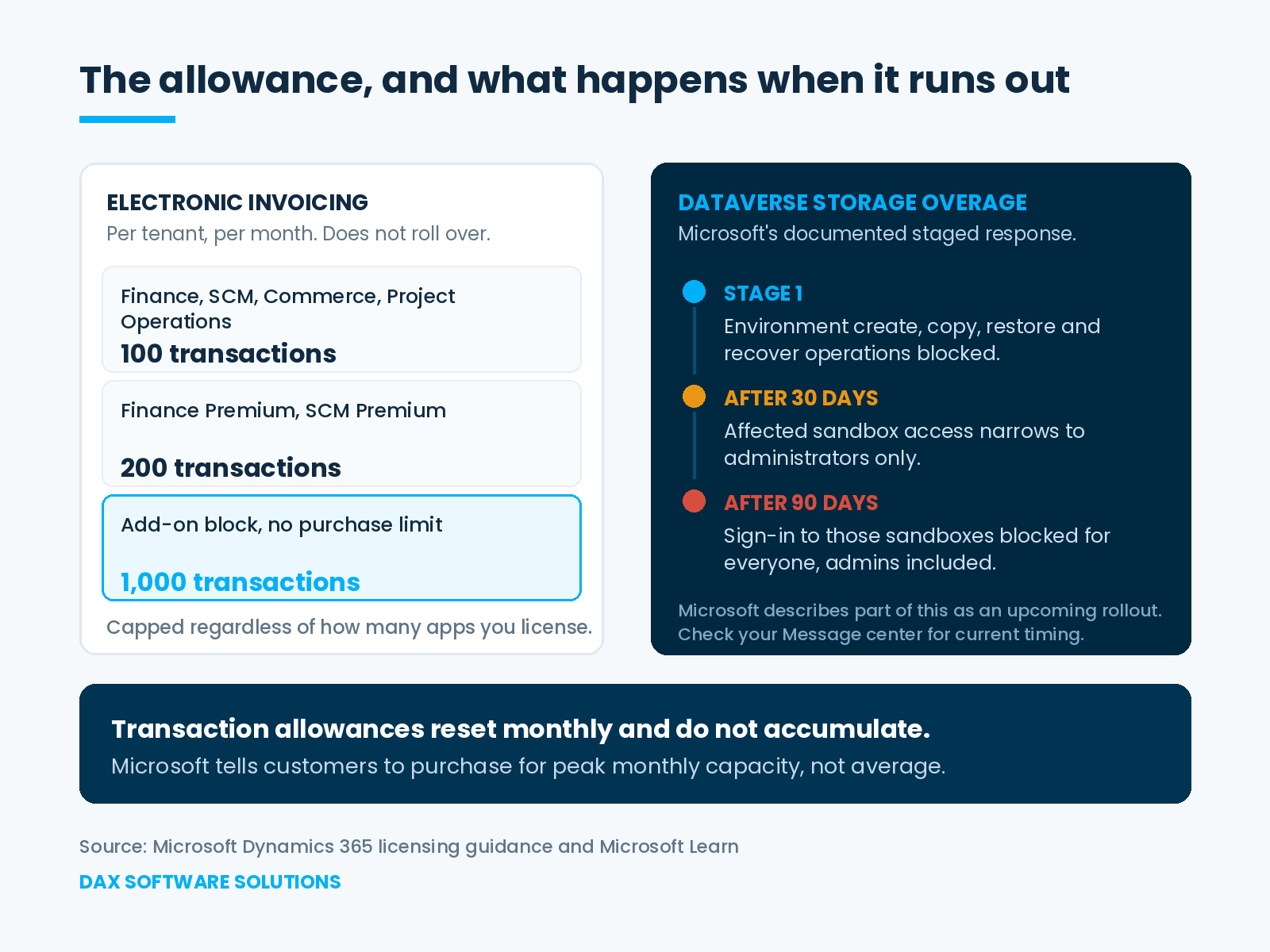
Microsoft states that Commerce, Finance, Project Operations and Supply Chain Management include 100 electronic invoice transactions per tenant per month and 100 invoice capture transactions per tenant per month. Finance Premium and Supply Chain Management Premium include 200 electronic invoice transactions. The included amount does not roll over, and Microsoft caps it regardless of how many Dynamics 365 applications you license. Additional capacity comes in blocks of 1,000 transactions per tenant per month, with no purchase limit.
Two details in that paragraph do the damage. The allowance counts per tenant, not per application, so buying more Dynamics 365 does not buy more invoicing headroom. And it resets monthly without accumulating, which is why Microsoft tells customers they “need to purchase for peak monthly capacity.” An average-month forecast fails in the month that matters.
Storage is the capacity line with teeth
Dataverse storage behaves differently again, and running out of it carries operational consequences rather than only commercial ones.
Capacity accrues to the tenant from the licences purchased, but not evenly. Microsoft notes that “not all licenses give per-user entitlement. For example, the Team Member license doesn’t give any per-user database, file, or log entitlement.” An environment strategy built on light users accrues less storage than the headcount implies, which connects directly to how light-user licences land on approval-only managers.
Microsoft documents a staged response when a tenant exceeds its entitlement. In the first stage, environment create, copy, restore and recover operations stop. If the overage persists for 30 days, access to affected sandbox environments narrows to administrators. At 90 days, nobody can sign in to those sandboxes, administrators included. Microsoft also notes that every environment consumes capacity whether or not it holds a database, and that deficits resolve only in kind: file capacity cannot cover a database shortfall.
Microsoft labels parts of this lifecycle guidance as describing an upcoming rollout, so confirm current timing through your tenant’s Message center rather than assuming it applies today.
Where to look before you forecast
Consumption data exists, and most of it sits one or two clicks away from the people who never check it.
For Customer Insights – Journeys, Microsoft points administrators to Settings, then Quota Limits, which shows tenant-wide entitled and used interacted people alongside monthly interactions. For Customer Insights – Data, the figure comes from summing the Customers count in each environment. Dataverse and platform meters live in the Power Platform admin center under Licensing, then Capacity add-ons. Microsoft also sends an in-app notification as an organization approaches its paid quota and again as it exceeds it, which helps only if the notification reaches somebody who owns a budget.
One relief valve exists on the storage side, and it is worth knowing before you need it. Microsoft grants an extension covering 25 percent of consumption for a maximum of 45 days, and an organization can request one at most three times in a rolling 365 days. That is breathing room for a migration or a year-end spike. It is not a substitute for a forecast, and an organization that has used all three requests has run out of both capacity and goodwill.
Pulling these numbers together takes an hour. Doing it on a schedule turns Dynamics 365 capacity licensing from a renewal surprise into a planning input.
What a Dynamics 365 capacity licensing review looks like
Five questions, answered once a year before renewal:
- Which lines on the subscription carry a per-tenant price rather than a per-user one, and who owns the volume driver behind each?
- For every capacity line, what is the included amount, the add-on block size, and does unused allowance carry forward?
- What did actual peak monthly consumption reach over the last 12 months, rather than the average?
- What changes next year that moves volume: a new e-invoicing jurisdiction, an acquisition, a channel launch, a second tenant?
- How much Dataverse database, file and log capacity has accrued, and how much of it sits in sandboxes nobody uses?
The last question tends to pay for the afternoon on its own.
Why renewal is the only moment this is adjustable
Capacity licences require a minimum one-year subscription commitment. You can often reassign or drop a seat at renewal with little ceremony. Capacity bought urgently in month fourteen becomes a commitment you carry into month twenty-six.
That asymmetry is the argument for treating Dynamics 365 capacity licensing as a planned workstream rather than an exception process. It belongs in the same annual review as the seat-level renewal checklist, and it sits beside the question of which design decisions set your licence requirements in the first place.
Microsoft’s licensing guidance is informational and does not replace the Product Terms. Entitlement is contractual, so confirm the specifics against your agreement with Microsoft or the partner holding your contract before you commit budget.
At DAX Software Solutions, capacity and entitlement review forms part of how we run Dynamics 365 managed services, because the lines that scale with volume quietly outgrow the business case that approved them. If nobody has re-forecast yours since go-live, Dynamics 365 capacity licensing is the review worth scheduling before renewal. Talk to our team.