

Licensing the Manager Who Only Approves Things
Every Dynamics 365 implementation produces the same question, usually around week three, usually from someone in finance holding a spreadsheet of named users.
There is a department head. They sign in twice a week, approve a handful of requisitions and expense reports, and sign out. They create nothing and post nothing. Surely they do not need a full licence.
The instinct is right, and the question is the single most common one in any licensing conversation. It is also the one most often answered wrongly, because the real answer depends on something nobody checks until late.
What a Dynamics 365 Team Members License Actually Grants
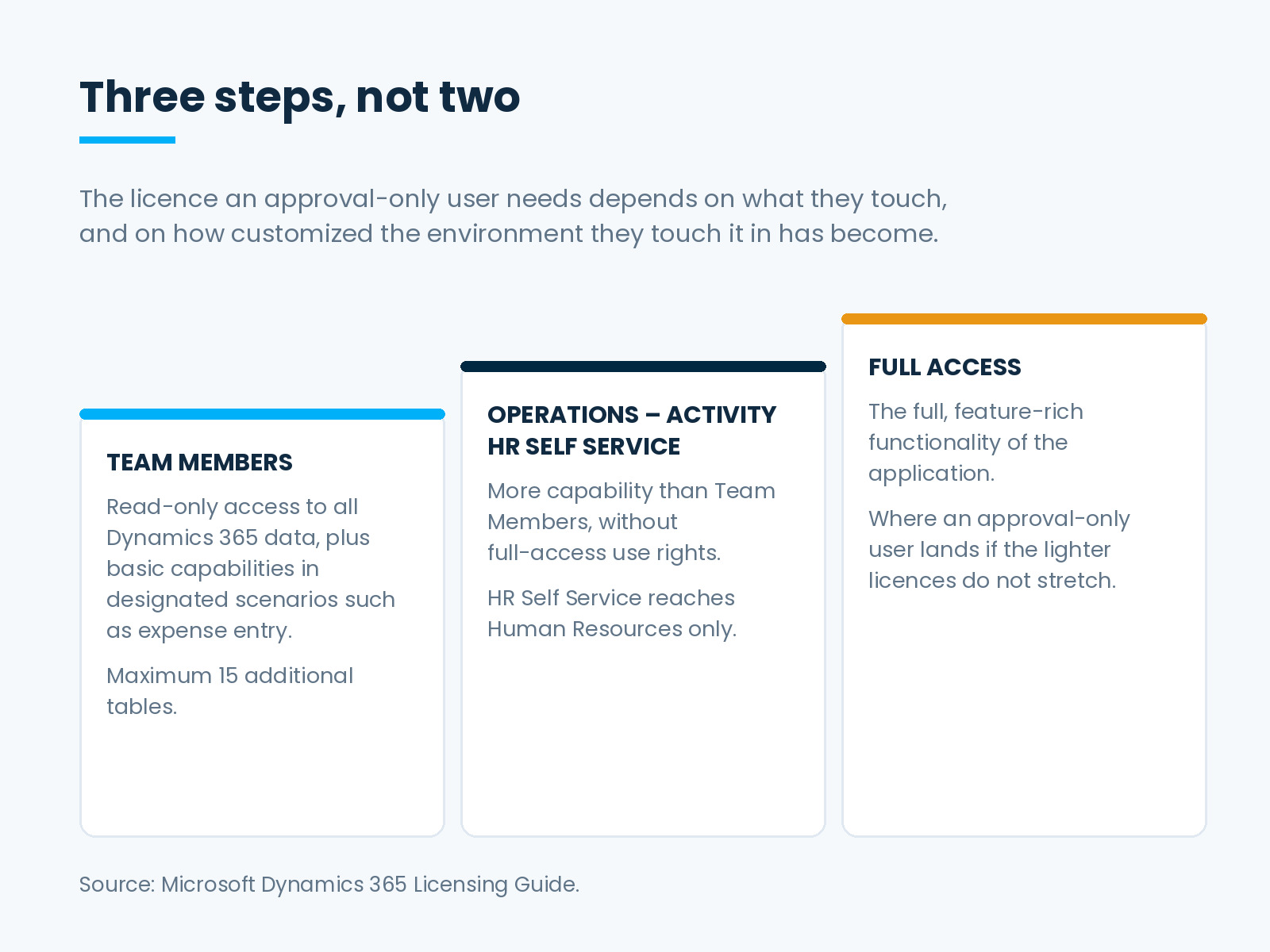
Microsoft’s Dynamics 365 licensing guide describes the Team Members licence as granting read-only access to all Dynamics 365 data, plus basic Dynamics 365 capabilities for designated scenarios, such as expense entry or updating contacts.
Two phrases in that sentence carry the whole decision.
Read-only access to all data is generous in scope and, on its own, useless to an approver. Approving is a write.
Designated scenarios is the load-bearing phrase. The licence does permit specific write actions, but only the ones Microsoft has designated. It is not a general allowance for doing a small amount of writing, which is how implementation meetings tend to describe it.
The guide gives one concrete approval example: users who create and approve project timesheets need only a Team Members licence. Notice how narrow that is. One named approval type does not establish that approvals in general qualify.
Where the Answer Usually Breaks
The licence is not only a list of permitted actions. It is also a technical boundary with a number attached.
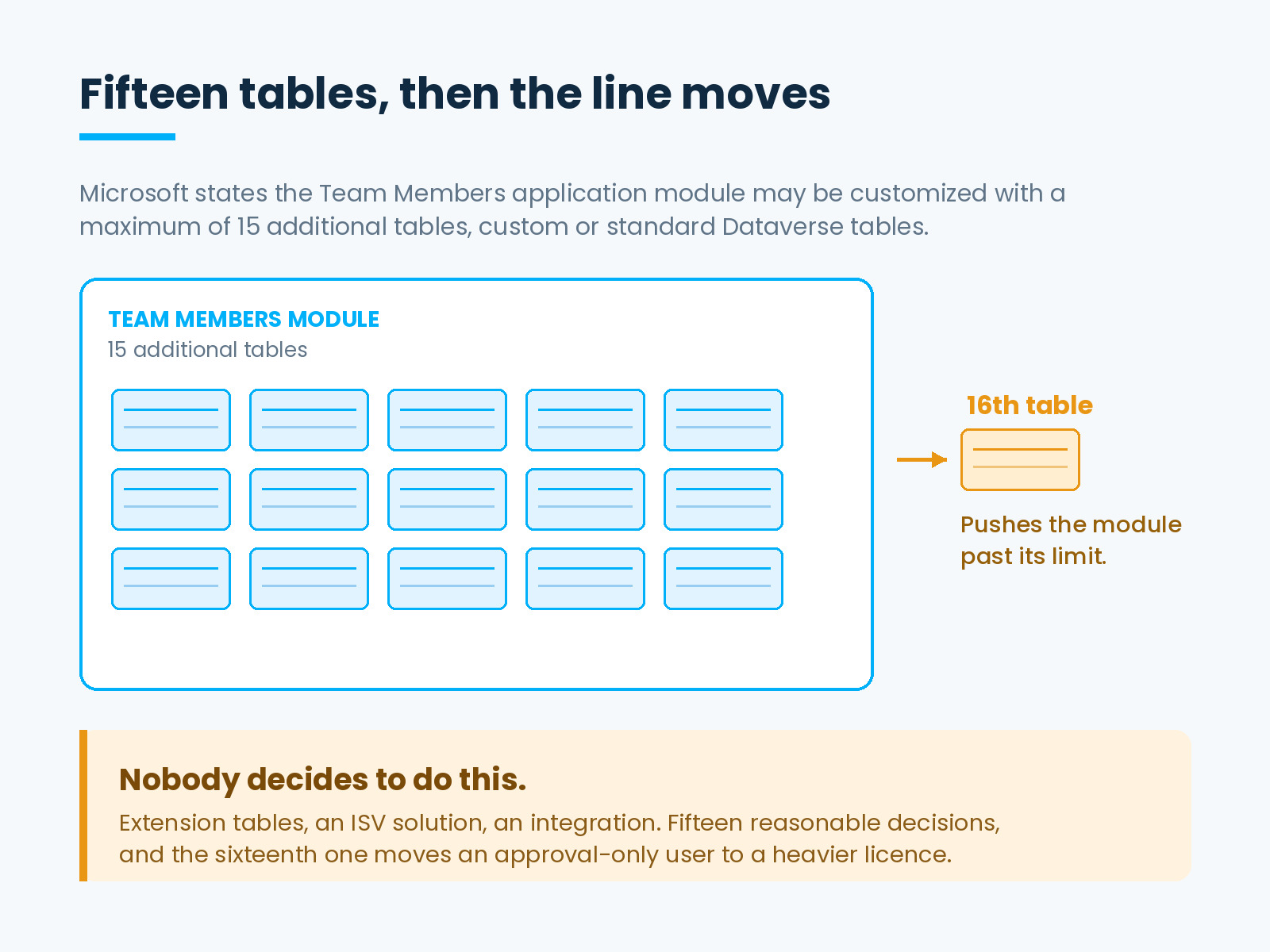
Microsoft states that the Team Members application module may be customized with a maximum of 15 additional tables. Those may be custom or standard Dataverse tables, allowed per pre-approved application scenarios set out in the guide’s appendices.
Fifteen sounds generous until you picture a real environment eighteen months in. Extension tables carrying approval metadata. A table for the custom cost-centre hierarchy. Tables that arrived inside an ISV solution and were never counted as customization. Tables added to support an integration.
No one decides to push the approvers into a more expensive licence. The organization makes a run of reasonable configuration decisions, and then makes one more than the module allows.
The Exposure Scales With the People Nobody Watches
Approval-only users are usually the largest light-user population in the business. Every department has one, often several.
They are also the group whose licensing nobody revisits, because the decision was made once during implementation and nothing about their daily work ever changes. No error appears. No one complains. The system behaves identically either way.
So one customization decision, taken by a developer for entirely sound reasons, can reclassify a whole population quietly. The cost surfaces at renewal, as a number nobody in the room can account for.
The sequencing makes it worse. The licensing call happens in week three of an implementation, when the environment is close to standard and fifteen tables feels like a lot of headroom. The customization that consumes that headroom happens over the following eighteen months, by which point the licensing conversation has long since closed and nobody connects the two.
Put the Table Count Under Change Control
The fifteen-table boundary is the part that moves without anyone deciding to move it, which makes it a design-review question rather than a licensing one.
Add a single line to the solution review: does this change take the Team Members module past its limit. Asked at the point of design, the question costs nothing and occasionally changes where a developer puts a field. Asked at renewal, the same question costs a licence upgrade across a population of users.
Give the count an owner, too. A number that everybody can see and nobody maintains drifts exactly like the seat counts it ends up affecting.
The Two Licences Between Team Members and Full
When Team Members does not stretch, full access is not the only alternative, and reaching for it by default is how light-user budgets inflate.
The guide describes Operations – Activity as intended for users who require more Dynamics 365 capabilities than Team Members users, but who still do not require the use rights of a full-access user licence.
Human Resources Self Service is narrower, and the boundary is worth stating precisely: it grants access to Human Resources only, and not to any other Dynamics 365 product. Its listed capabilities include approving employee leave as a manager and viewing employee information as a manager.
That distinction decides real cases. A manager whose only approvals are leave approvals is a close match for HR Self Service. A manager approving requisitions is not, because the licence does not reach outside Human Resources.
How to Answer This for a Real Person
- Write down the actions, not the job title. “Approves purchase requisitions” is usable. “Oversees procurement” is not, because it does not say which records the person touches.
- Check each action against the designated scenarios in the use rights appendix, rather than against the summary at the front of the guide.
- Count the tables in the Team Members module, including those that arrived inside ISV solutions.
- Count what the backlog will add. Compliant at go-live and non-compliant in month nine is a worse outcome than knowing now.
- Consider the middle licences before defaulting to full access.
- Record the decision next to the action and the table count behind it, because both inputs change.
What the Summary Does Not Settle
One caveat, stated plainly because it matters more here than in most topics.
The front of Microsoft’s licensing guide describes the shape of each licence. The specific question — whether this approval, in this module, counts as a designated scenario — lives in the use rights and pre-approved scenario appendices. Those appendices settle the disagreements; the summary only frames them.
Licensing entitlement is also contractual rather than technical. What a configuration requires and what an agreement permits are different questions. Confirm the second with Microsoft or the partner who holds the contract before finalising a licence position, particularly where a population of users rides on it.
If you are reviewing light users more broadly, the same exercise overlaps with finding the licences nobody uses and with per-user license validation, where the requirement follows the permission rather than the job title.
DAX Software Solutions: Right License, Right People, Real Value
DAX Software Solutions implements and supports Dynamics 365 Finance, Supply Chain Management and Business Central, which means the licensing question and the customization decision that drives it sit with the same team.
DAX helps clients:
- Map light users to the licence their actual actions require, rather than to the one their job title suggests.
- Track the Team Members table count as part of solution design, so a configuration decision does not quietly become a licensing one.
- Review existing estates for users sitting on a heavier licence than their work needs, and for the reverse.
- Implement, optimize and support Dynamics 365 and the wider Microsoft platform around it.
The manager who only approves things is the cheapest user in the project, right up until the environment grows past a boundary nobody was watching. Counting the tables is a morning’s work. Finding out at renewal is not.
Before your next licensing review, talk to DAX Software Solutions about where your light users actually sit.